
 LookPlan
Create Your Dream Bridal Makeup Look
Upload your photo and bring your bridal look to life. Explore nine makeup and hair looks, or create one in your favorite bridal style.
Your photo
By continuing you agree to the Privacy Policy and confirm you are 18+.
Bridal looks are not available for purchase yet.
Two ways to create your bridal look
A wedding makeup look can be beautiful on someone else and still leave you wondering how it would look on you. With Lookplan, you can compare bridal makeup and hair together on your own photo, then bring a clearer direction to your makeup artist and hairstylist.
If you already want to try bridal makeup on your photo, choose the mode that matches your next decision: compare several possibilities, or develop one style you have in mind.
Explore 9 bridal looks
Not sure which direction to choose? Compare nine bridal makeup and hair looks on your own photo for 8 credits. Choose Natural, Soft or Intense for variations at your preferred makeup intensity, or Random for a mix of lighter and bolder looks. You can add a detailed report for your favorite look for 10 additional credits.
Customize my bridal look
Already have a style in mind? Choose from five bridal styles and get one personalized makeup and hair preview with its detailed report for 10 credits. Use the analysis and styling notes to explain what you like and discuss the look with your makeup artist and hairstylist.
Choose a bridal makeup style
Natural
A sheer, skin-like base, softly defined brows and eyes, and lips close to their natural color. Hair follows a relaxed direction, such as loose styling or a natural part. Consider this when you want understated bridal makeup with gentle contrast.
Soft Glam
Champagne and brown eye tones, refined lashes and softly defined contours. Soft waves or a textured low updo guide the hair direction. Consider this when you want visible polish without the strongest makeup contrast.
Full Glam
More pronounced eyes, lashes and contour, paired with a fuller hair silhouette. This direction explores a more dramatic wedding makeup look. Choose it when stronger definition is part of your preference, then assess the generated balance on your own photo.
Romantic Rosy
Rose or peach blush and soft lips provide the color focus, with relaxed curls or half-up styling as a hair direction. Consider it when you want a softer, rosy overall impression rather than making eyeliner or a bold lip the main feature.
Classic Red Lip
Red lips lead the look, supported by clean eyeliner and a sleek or vintage-inspired hair direction. Choose it when you want a clear lip focal point. The preview helps you judge how that stronger color works with the rest of your bridal look.
These are style directions, not fixed makeup templates. The generated hair styling is guided by the length visible in your photo, and bridal generation aims to keep your original hair color.
See bridal makeup and hair together
The examples show what a generated look and report can contain before you spend credits. Compare each original photo with its result: notice how the eye and lip emphasis, makeup contrast and hair framing work together. You can then judge whether this kind of preview would help with your own choice.
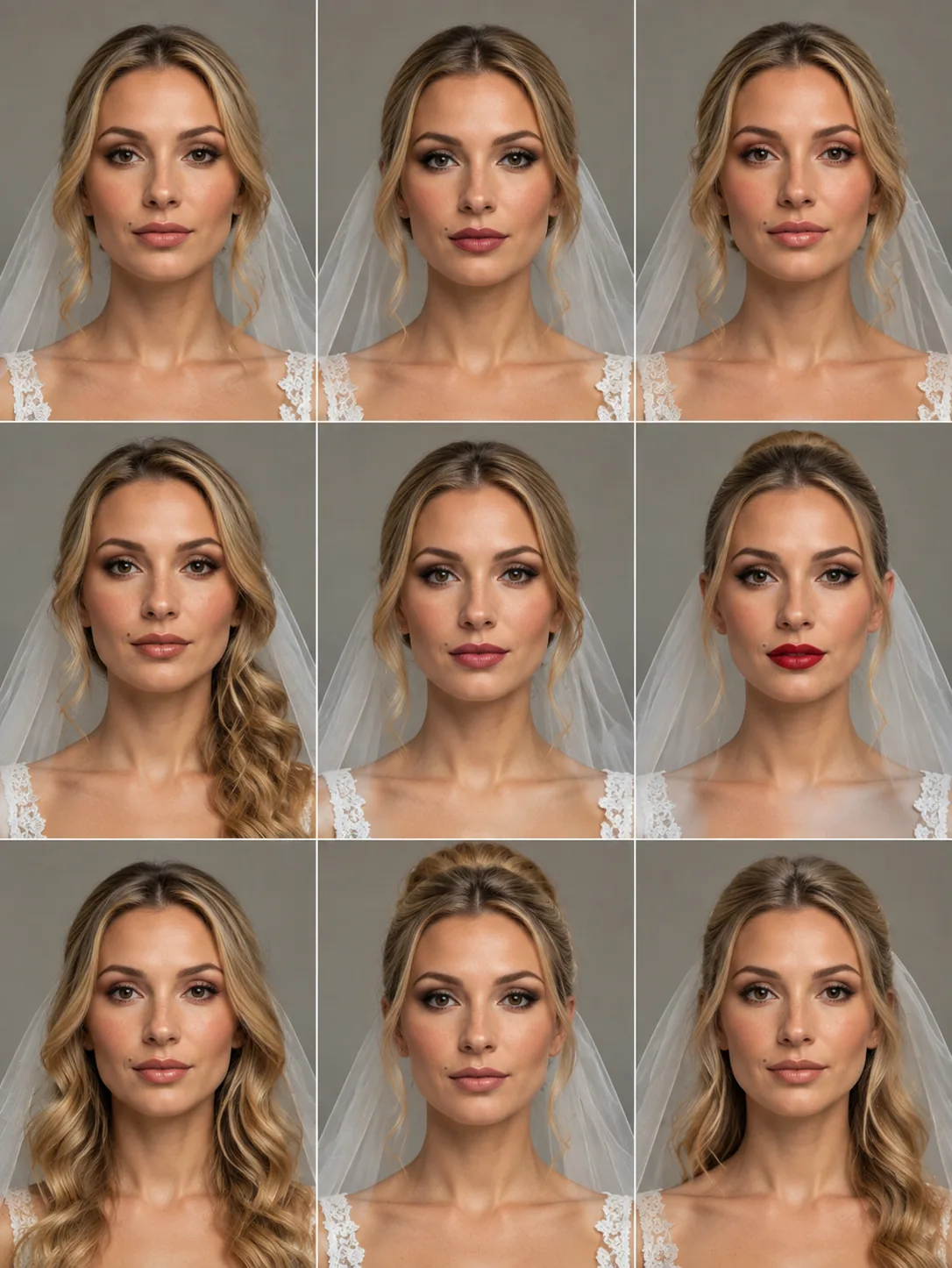
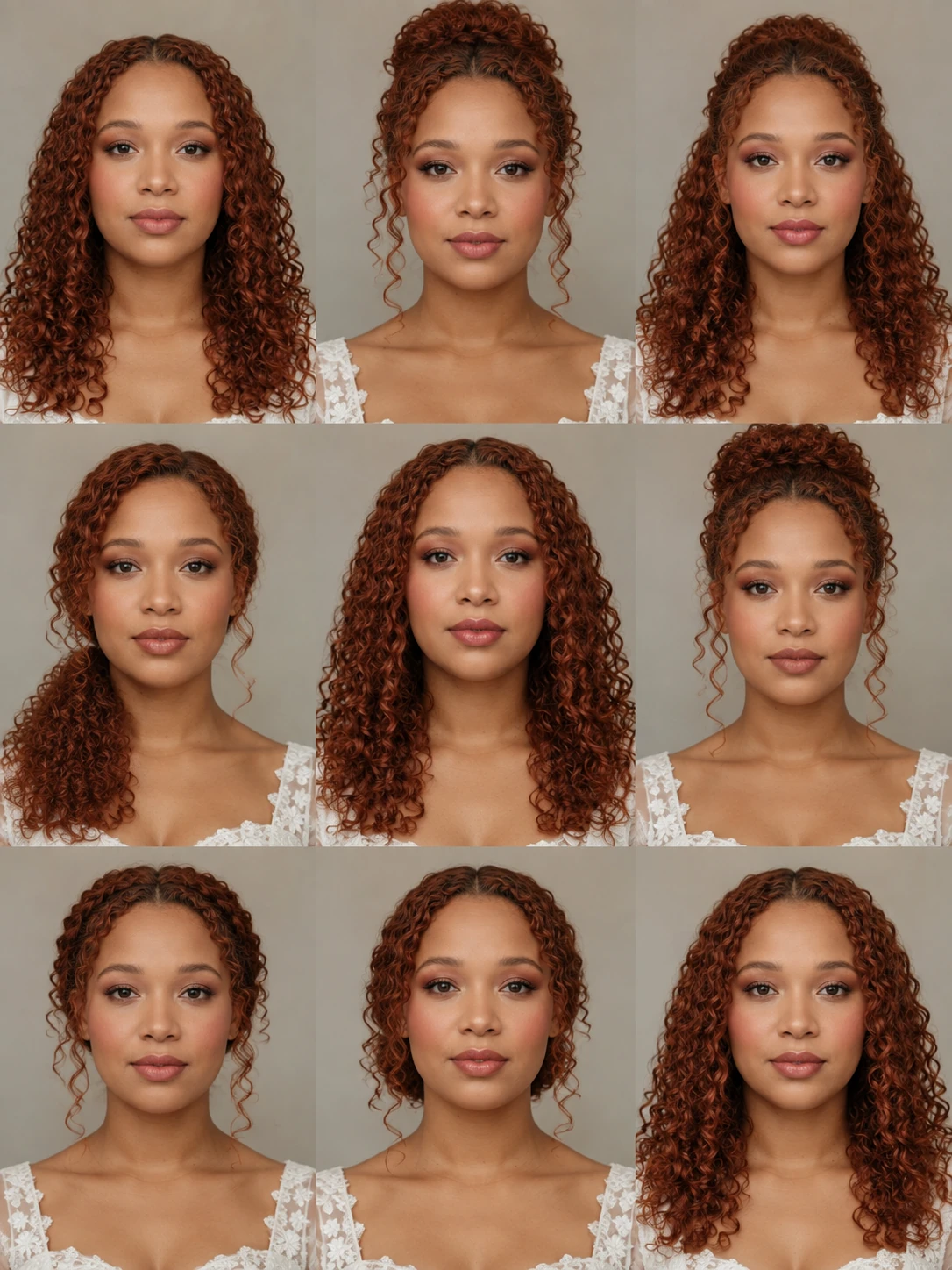
Understand your bridal look
Your report helps you put what you like into words, so you can bring more than a saved picture to your bridal trial.
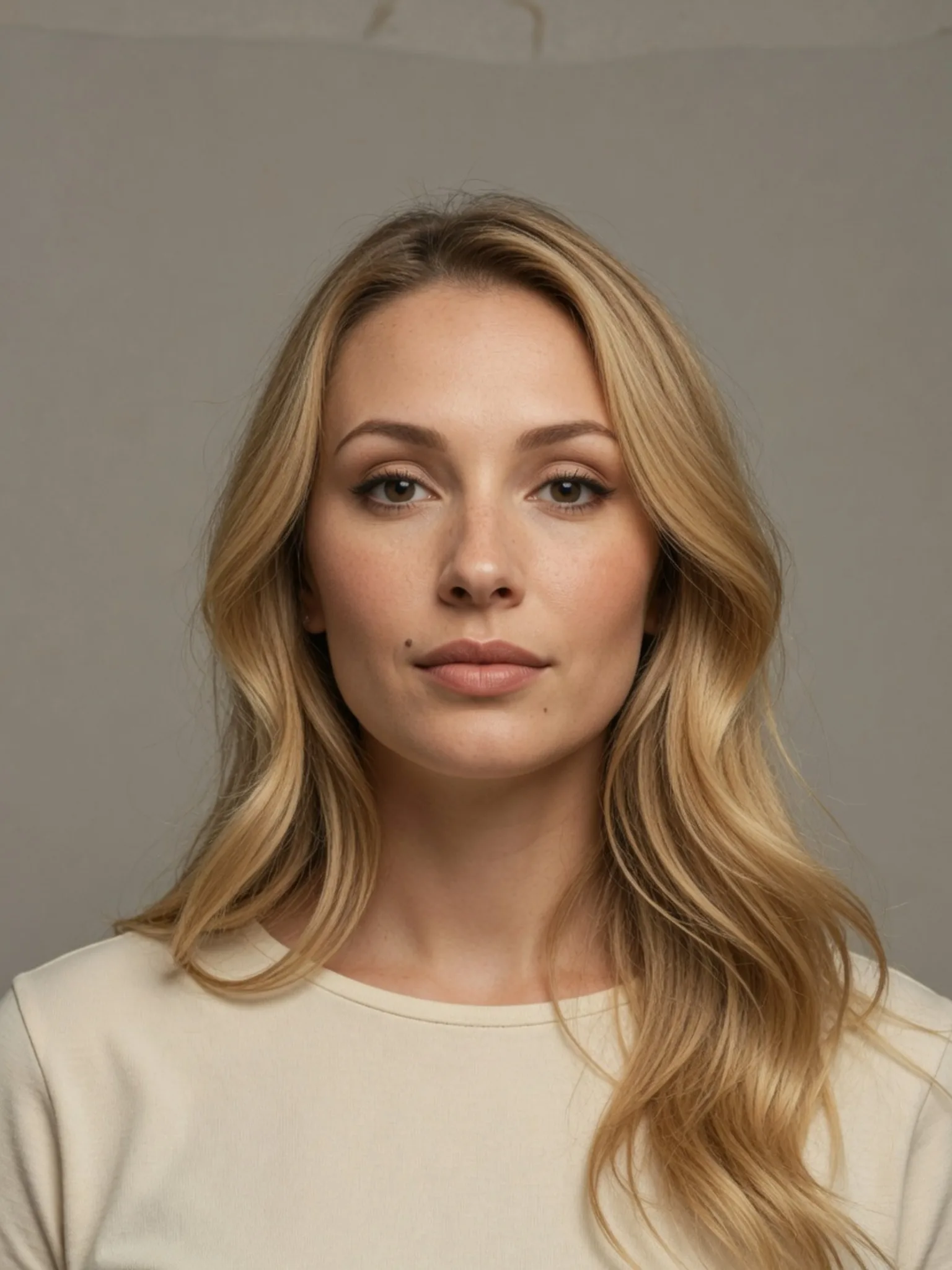
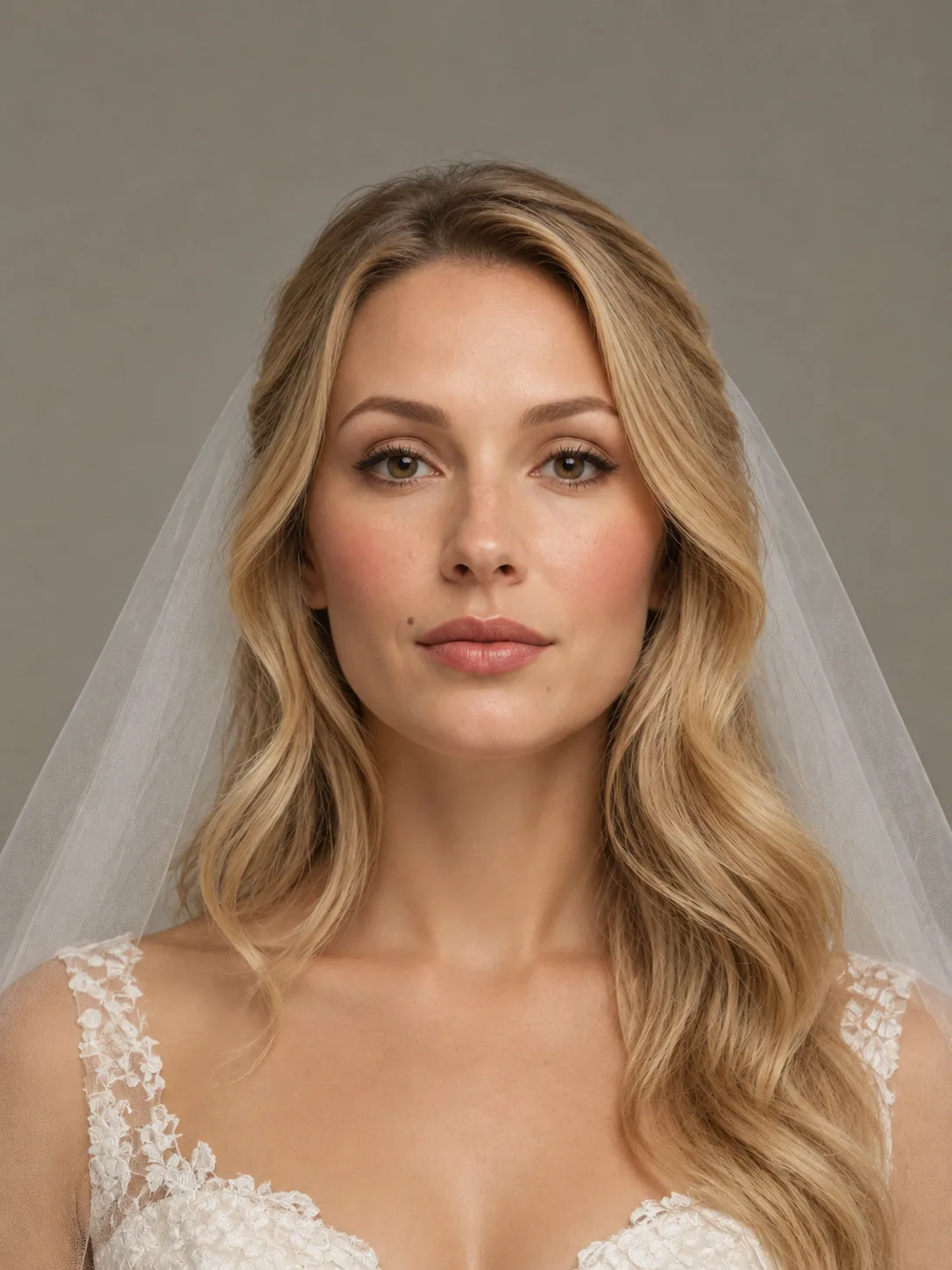
See what changes
Compare your original photo with your bridal preview. See how the eyes, lips, makeup finish and hairstyle change the overall look, with an explanation of the details you can see.
Understand how the look comes together
Explore how the makeup colors, eye and lip emphasis, and hair framing work together. The report helps you describe the details behind your preference, whether you want a softer finish, stronger definition or a different balance.
Bring your ideas to your bridal trial
Share your preview and styling notes with your makeup artist and hairstylist. Use them to discuss what you want to keep or adjust, then work with your artists on the products and styling that suit your skin, hair and wedding plans.
How to generate your wedding makeup look
01
Choose a clear photo
Use a photo where your face and current hair are easy to see. Choose clear lighting and keep your face unobstructed so you can compare your original photo with your bridal look.
02
Choose your mode and options
Pick an Explore intensity or a Customize style. A wedding dress and veil are selected by default. You can turn either off in both modes, depending on how you want to preview your bridal look.
03
Generate and review
Generate your looks, compare the results and read your report if one is included or purchased. Find your saved looks and reports in My Reports, ready to revisit when you want to compare your favorites or prepare for your bridal trial.
Credits and pricing
Explore costs 8 credits for nine bridal looks. Customize costs 10 credits for one look and its detailed report. You can also add a detailed report to a favorite Explore look for 10 more credits. It explains the image you selected, without generating a new one.
The Plus plan costs $5.99 per month and includes 300 credits each month. If you use all 300 credits, that works out to about $0.16 for nine Explore looks, or $0.20 for a custom look with its report. You purchase a plan or credit pack; these amounts show how the monthly plan’s price breaks down, rather than separate checkout prices. See plans and credit options.
New accounts receive 8 signup credits, valid for 30 days—enough to explore nine bridal looks. A custom look or an added detailed report requires more credits.
Your photo and privacy
Your photo stays on your device until you submit it for generation. Our AI provider processes it to create your preview. Your photos and reports are stored privately with restricted access. Read our Privacy Policy for more information.
Bridal makeup generator FAQs
Can I preview my exact wedding dress or veil?
The dress and veil options help you see a more complete bridal look. You can’t upload a separate dress or veil photo to try on a specific item. If your original photo already includes a dress or veil, turning that option off may not remove it.
What if I have short hair?
Bridal hair styling is guided by the length visible in your photo. You can explore a wedding look with your current length; choosing a style described with an updo does not necessarily mean adding long hair. Bring your favorite preview to your hairstylist to discuss what works with your hair.
Does the preview replace a bridal makeup trial?
Use it to narrow down your preferences before your bridal trial. The preview helps you compare appearances, while an in-person trial lets you check how makeup feels and wears, and how the hairstyle holds. Bring your chosen look and report to make that appointment more focused.